Movies App APK v2.4.4 – Watch Free HD Movies & Shows On Android, PC & Firestick
App Screenshots
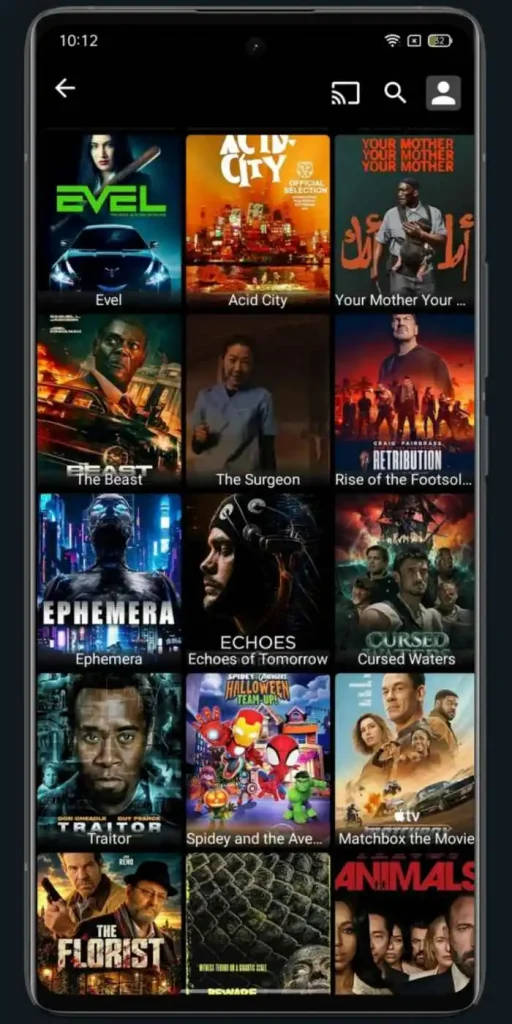
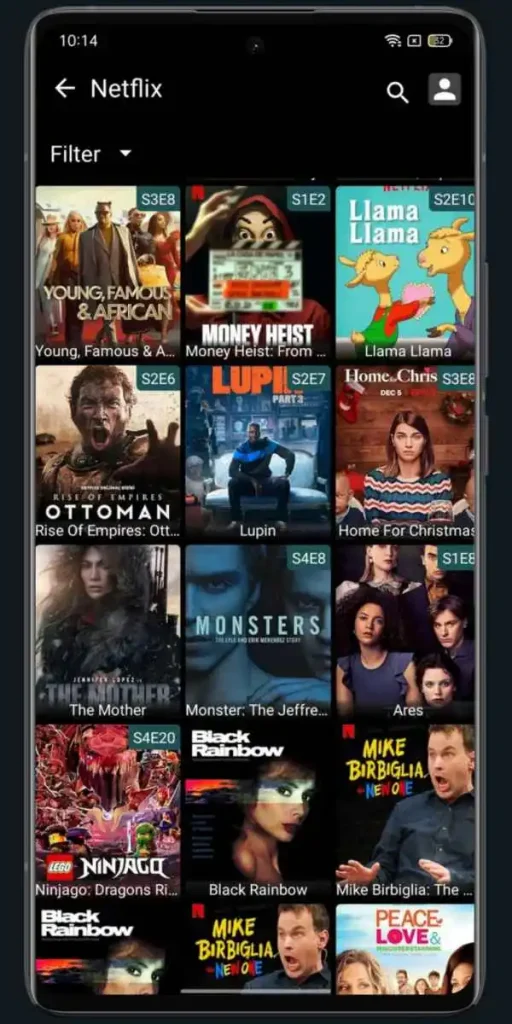
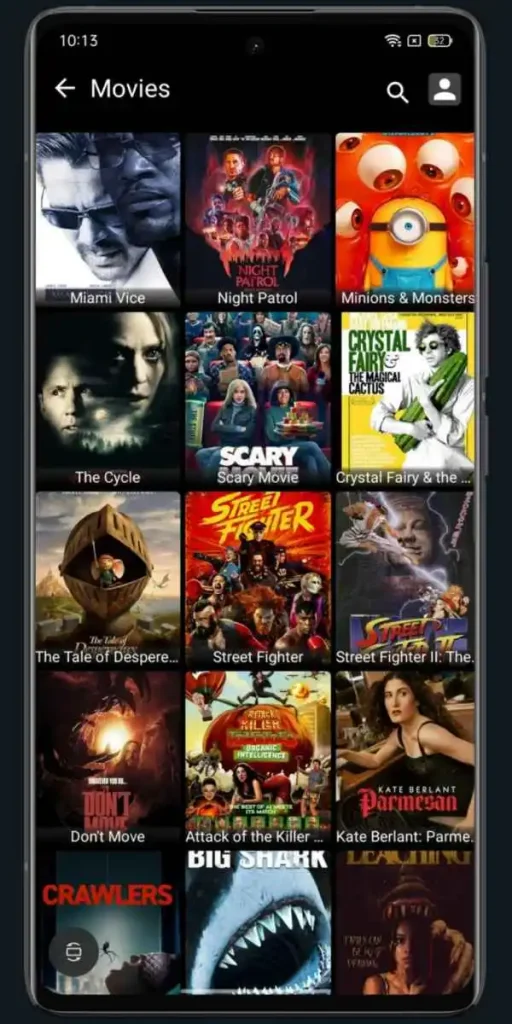
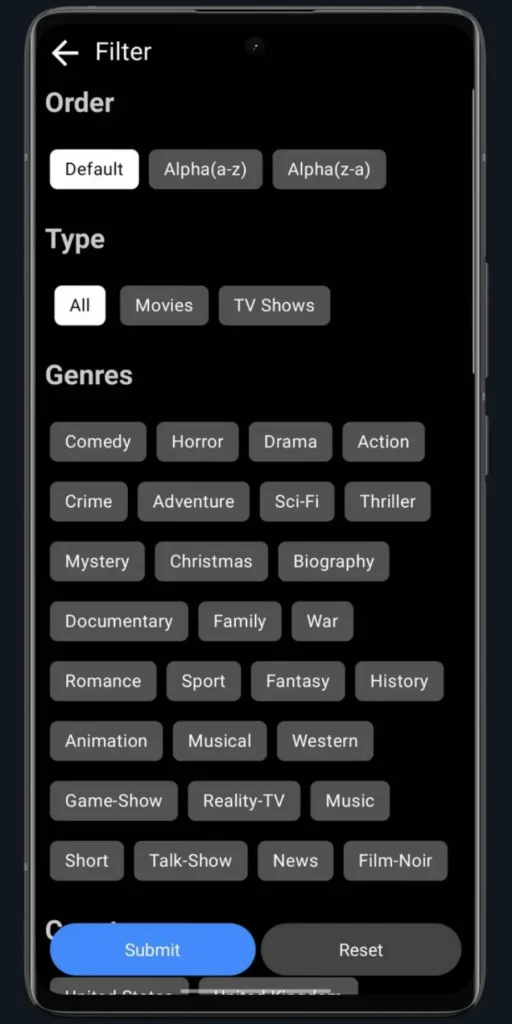
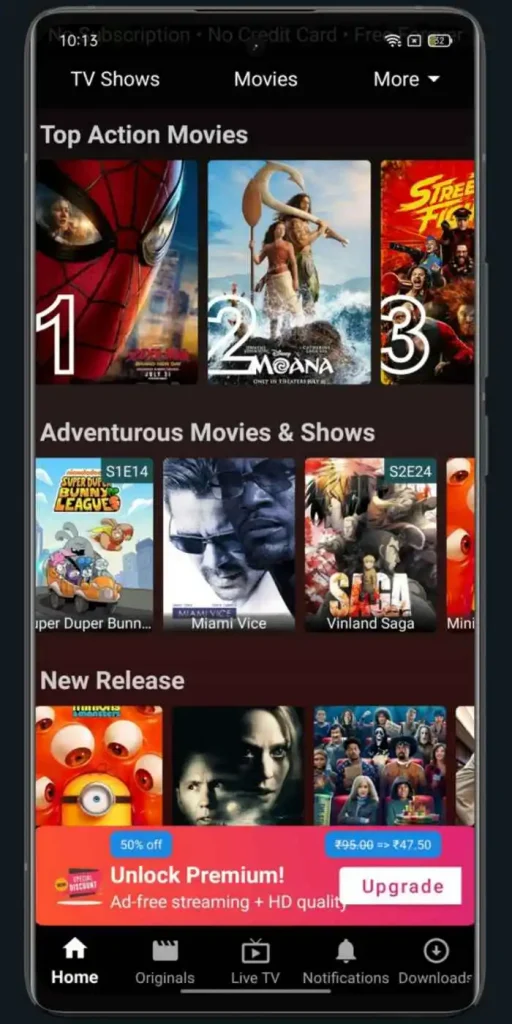
Looking for a simple way to explore movies and TV shows? Movies App APK brings entertainment closer to you! With a wide collection of movies, popular TV series, and live TV content, you can discover something exciting to watch whenever you want.
What is Movies App APK?
Movies APK is a third-party Android entertainment app designed for people who enjoy watching movies and TV shows on their mobile devices. Instead of switching between multiple streaming apps, users can explore a wide variety of entertainment content through one easy-to-use platform.
The app features a collection of more than 40,000 movies and TV shows, covering popular genres such as action, adventure, comedy, horror, romance, science fiction, and drama. It is designed to work on Android smartphones, tablets, and Android TV, allowing you to enjoy entertainment on different screen sizes.
Downloads
200 Millions+
Developer
Movies App APK
Price
Free
File Size
19 MB
Version
2.4.4
Compatible with
Android 5.0 or Up
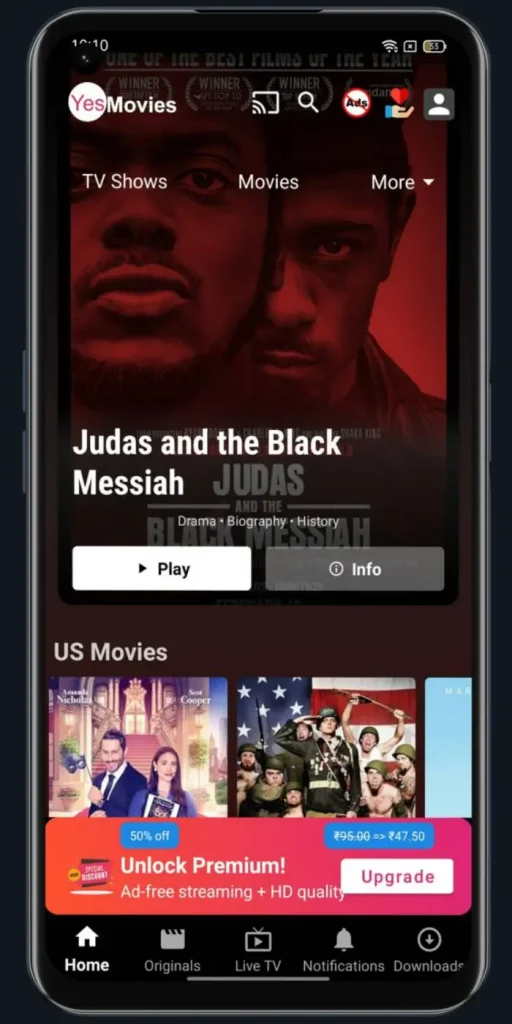
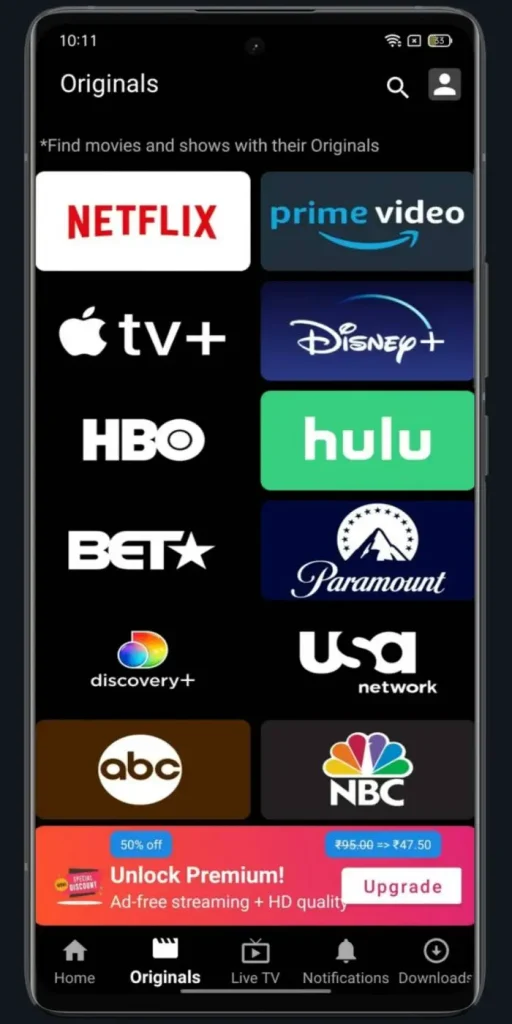
The app comes with a simple interface that helps users find content without any confusion. On the home screen, you can explore available movies and TV shows, search for specific titles, and browse different categories. The Originals section may help you discover content grouped by streaming platforms, while the Live TV section provides access to available television channels. You can also use features such as My List to organize your favorite titles and the Downloads section to access supported downloaded content.
Additional Information about the App
Features of Movies App
Movies App comes with a range of handy features designed to make browsing and streaming more convenient. From an easy-to-use interface to flexible viewing options, here are the key features that make the app worth exploring.
High Quality Video
Enjoy smooth streaming with Movies App and explore movies and TV shows in up to 1080p Full HD. Adjust video quality manually or let adaptive streaming optimize playback based on your internet speed.
Single-Click Download
Downloading your favorite movies and TV episodes is quick and easy with Movies App. Simply tap the Download button to save supported content to your device and enjoy watching offline anytime, anywhere, without needing an internet connection.
Screen Casting
Movies App makes it easy to enjoy your favorite movies and TV shows on a bigger screen. Simply tap the Chromecast icon in the top-right corner of the app’s home screen or video player. Then, select your compatible TV or Chromecast device to connect and start watching on your TV.
Regular Content Updates
Movies App regularly updates its content library with new movies and TV shows. From recently released series to the latest episodes of ongoing shows, you can discover fresh entertainment and keep up with your favorite titles as new content becomes available.
Notifications for New Episodes
In the bottom navigation bar, you’ll find the Notifications icon, where you can easily enable or disable app notifications based on your preferences. Stay updated with the latest alerts or turn them off whenever you want.
Works on All Device
Movies App offers flexible viewing options across different devices, including Android smartphones, PCs, Smart TVs, Android TV, Fire TV Stick, and iOS devices, depending on app compatibility and the version available.
Live TV
Find the Live TV icon in the center of the bottom navigation bar and tap it to explore over 10,000 live TV channels from different categories. Whether you enjoy live sports, breaking news, music, entertainment, cartoons, or more, Movies App brings a wide variety of live television content together in one convenient place.
Free of Cost
Enjoy Movies App APK for free, with no subscriptions or hidden charges. Stream and download trending movies, classic TV shows, and Live TV without spending a penny, making entertainment easy and affordable for everyone.
Multiple Server
If a streaming server isn’t working or the video keeps buffering, you can easily switch to another available server. Simply open the video player, tap the Video Source option, and select a different server for a smoother, uninterrupted viewing experience.
No Account or Login Required
Enjoy a smooth and distraction-free viewing experience with Movies App. Its ad-free experience lets you watch your favorite movies and TV shows without annoying interruptions, so you can focus on the entertainment you love.
How to Downlaod and Install Movies App APK on Android?
Downloading Movie App APK is quick and easy, but installing it requires a few simple steps. To ensure a smooth and successful installation on your Android device, follow the step-by-step guide below carefully.
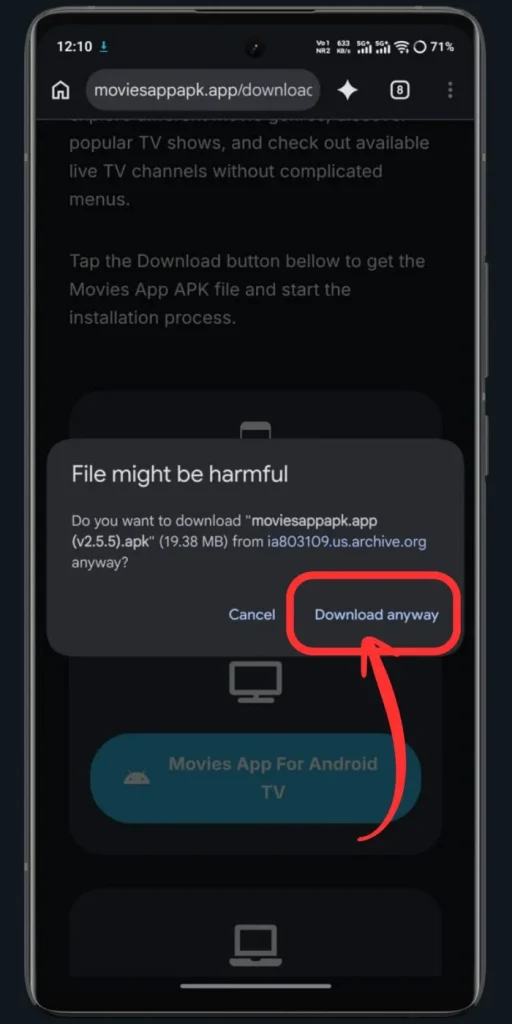
Step 1. Download Movie App APK
- Click here or tap the Download button above to open the download page.
- Select the Movie App on which device you want and tap Download to get the latest APK file.
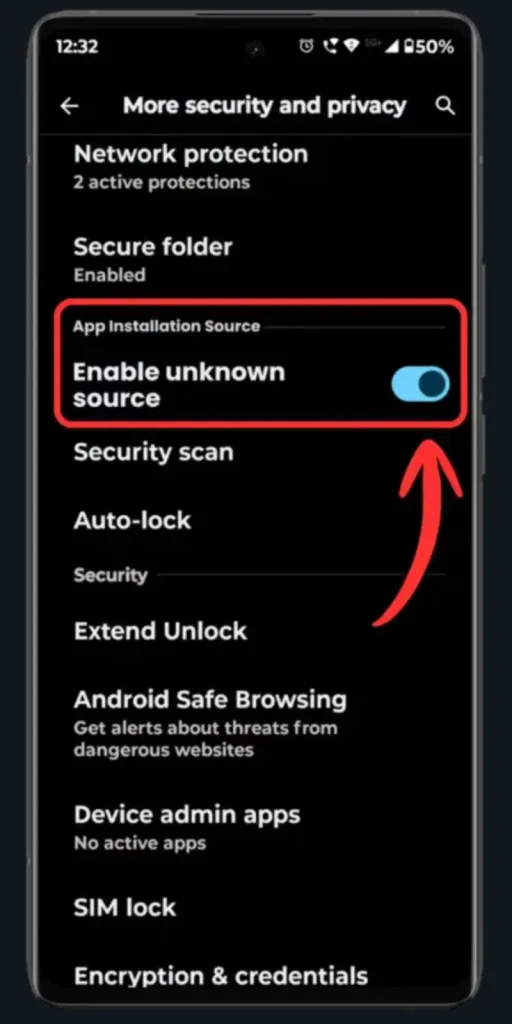
Step 2. Enable Unknown Sources
- Before installing the app, open your device’s Settings to allow installation from external sources.
- Go to Security or Install Unknown Apps, select the app used to download the APK, and enable allow from this source. Only enable this for trusted APK files.
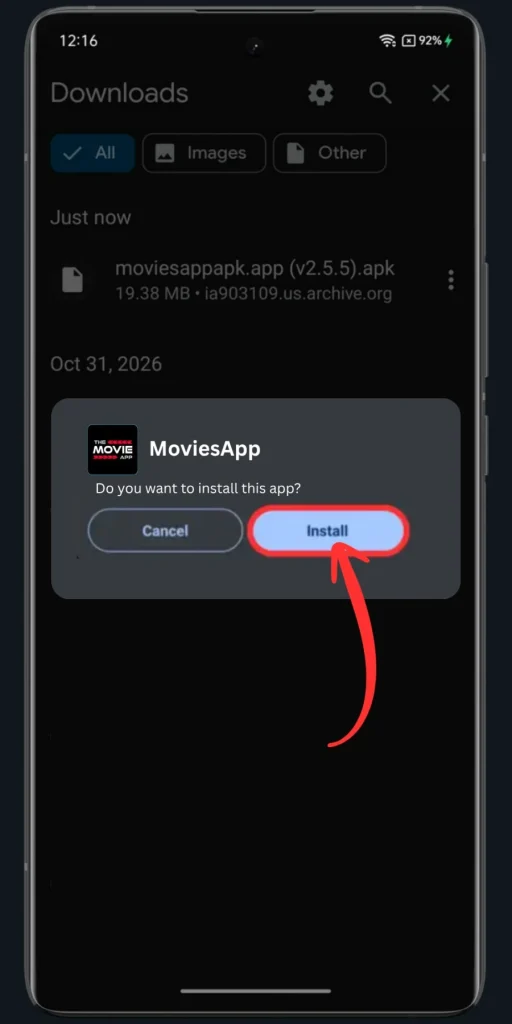
Step 3. Install The App
- Once the APK file is fully downloaded, locate it on your device and tap to open it.
- When the installation prompt appears, tap Install and wait for the process to complete.
How to Download & Install Movies app for PC?
Although Movies App is primarily designed for Android devices, you may be able to run it on your PC using an Android emulator like BlueStacks or NoxPlayer. This lets you explore your favorite movies and TV shows on a bigger screen, depending on app compatibility and your PC's performance.
How to Watch Movies and TV Shows in Movies App
Watching movies and TV shows on Movies App APK is quick and easy, even if you're using the application for the first time. With its simple interface and well-organized content library, you can find your favorite movies, discover trending TV series, and explore different genres without any confusion. Whether you already know what you want to watch or just want to discover something new, the app offers several ways to find entertainment. Follow these simple steps to start watching movies and TV shows on Movies App.
Steps to Watch Movies and TV Shows
Step 1: Open Movies App
Launch Movies App on your Android smartphone, tablet, or Android TV. You'll see the Home screen with different entertainment options.
Step 2: Choose Movies or TV Shows
At the top of the Home screen, tap Movies or TV Shows, depending on what you want to watch. You can also explore the available titles by scrolling through the content.
Step 3: Search for Your Favorite Title
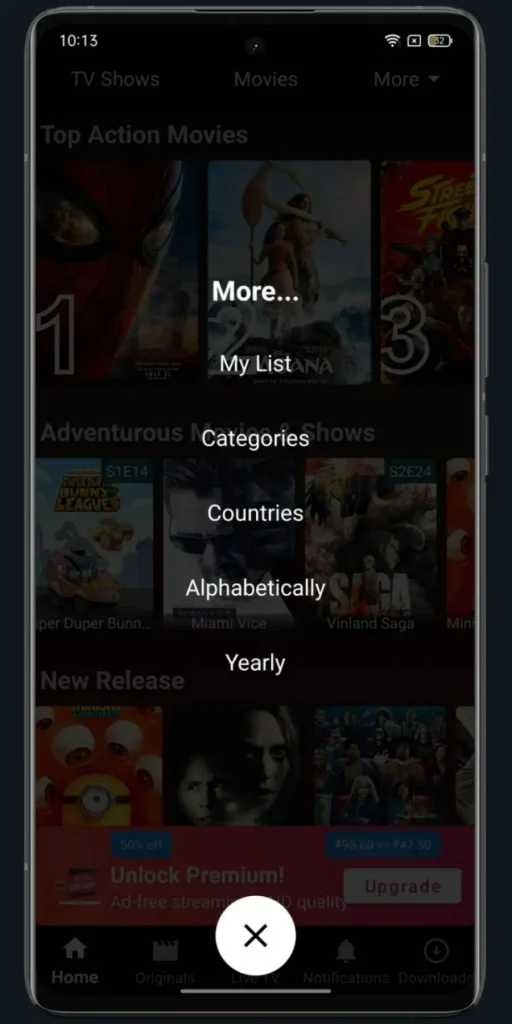
If you're looking for a specific movie or TV series, tap the Search icon in the top-right corner and type its name. Alternatively, use the More section to browse content by categories, countries, alphabetical order, or release year.
Step 4: Select a Movie or TV Show
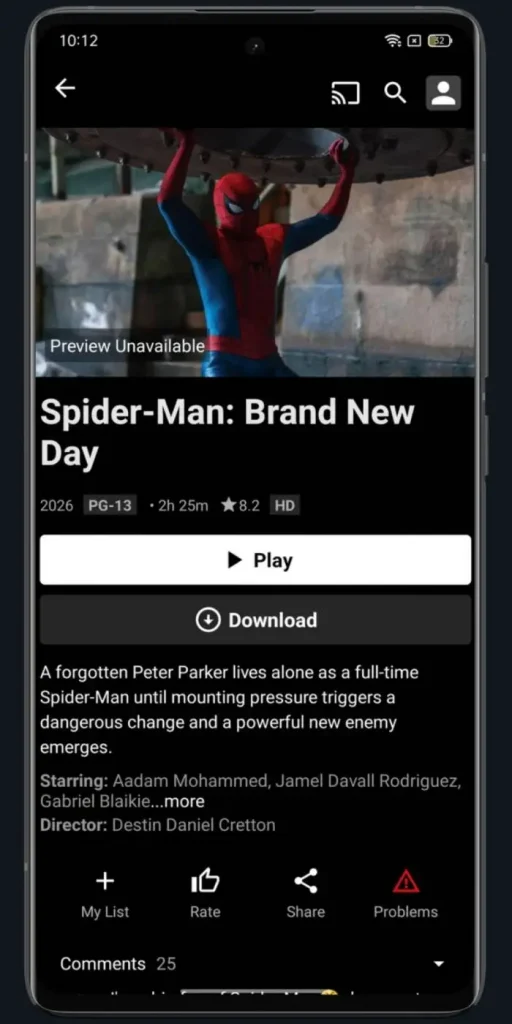
Once you find something interesting, tap its poster to open the details page. Here, you can explore information about the selected movie or series.
Step 5: Tap the Play Button
Choose an available streaming option and tap the Play button to start watching. If multiple playback options are available, select the one that works best for you.
Step 6: Enjoy Your Entertainment
Sit back and enjoy your selected movie or TV show. You can also use the Chromecast feature to watch supported content on a compatible television or save interesting titles to My List for later.
Pros and Cons of Movies App
Pros
- Watch movies and TV shows without signing up or logging in.
- Works on Android, iOS, PC, Smart TVs, and Fire TV.
- Stream content online or download it for offline viewing.
- Get regular updates with the latest movies and TV shows.
- Explore a massive collection of movies, TV series, and live TV channels.
- Enjoy your favorite content on bigger screens with Chromecast support.
- Watch unlimited entertainment for free without subscription fees.
- Enjoy smooth, ad-free streaming without annoying pop-ups or interruptions.
Cons
- The app is not available on the Google Play Store and lacks official support.
- Users need to manually download and install updates.
- Downloading APK files from untrusted sources may pose security risks.
- The app may not be accessible in certain countries or restricted regions.
- Users may occasionally experience buffering, crashes, or playback issues.
- Some advertisements may appear and interrupt the viewing experience.
Common Movies App Issues and How to Fix Them
Technical issues and occasional glitches can occur in any app, but most common problems can be resolved with a few simple troubleshooting steps. By following these basic techniques, you can reduce playback errors, minimize buffering, and improve overall app performance. Below are some effective methods to help you resolve common Cineby issues and enjoy a smoother viewing experience.
- Video Not Loading or Getting Stuck: The selected streaming server may be experiencing a temporary glitch or heavy traffic. Tap the server option in the top-left corner of the media player and select another available server, if one is listed. Then try playing the video again.
- Audio and Subtitles Out of Sync: If subtitles appear too early or too late compared to the audio, you can adjust their timing using the media player. Tap the CC icon, select Subtitle Delay, and use the + or − buttons to fine-tune the timing until the subtitles match the dialogue.
- Live Channels Not Working: If a live sports broadcast fails to load or keeps buffering, the issue may be caused by server congestion or an unstable internet connection. Wait 10–15 minutes before trying again. You can also check your connection or switch to another available stream if the app offers one.
- Black Screen Issue: A black screen may result from playback errors, network restrictions, or compatibility issues. Start by restarting the app and checking your internet connection. If you suspect regional or ISP restrictions, review the platform's availability in your area and follow applicable local rules before considering alternative network settings.
- Video Freezing Randomly: Frequent freezing may be caused by temporary app glitches, a weak internet connection, or accumulated cache files. Restart the app, check your connection, and clear the app's cache through your device settings if the problem persists.
- Playback Error Messages: Playback errors can occur when your internet connection is unstable, the app is outdated, or a streaming link is no longer available. Check your connection, restart the app, and install the latest version from a trusted source if an update is available. If the issue continues, try another available stream or wait for the link to be restored.
Conclusion
A great movie can turn an ordinary evening into something memorable. Sometimes it's an exciting adventure that keeps you on the edge of your seat. Other times, it's a funny comedy that helps you unwind or an emotional story that stays with you for days.
Movie APP APK is built around one simple idea: making it easier to discover entertainment you enjoy. With its more than collection of 40,000 movies and TV shows, HD streaming capabilities, and support for different Android devices, the app aims to bring a wide variety of viewing options together.
It isn't just about having thousands of titles available. It's about finding the right story for the right moment. So, the next time you're wondering what to watch, Movie APP APK might give you a few more options to explore.
Because a good movie night starts with finding something worth watching.